
Last updated:
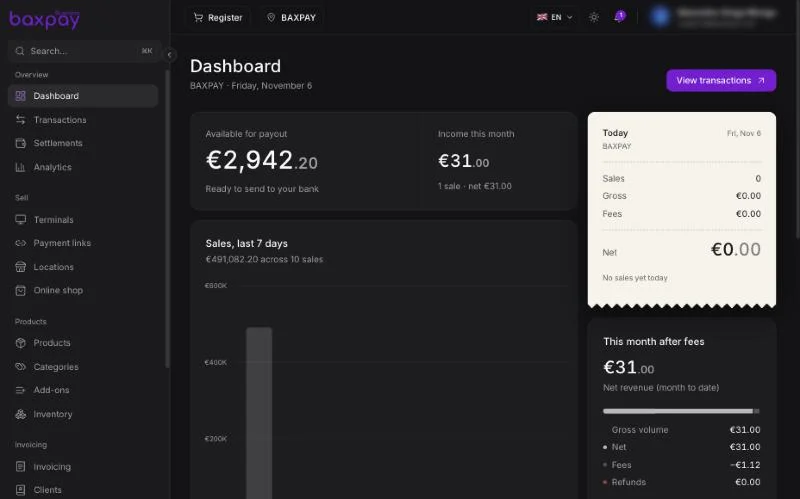
What is BaxPay Business?
BaxPay Business is the merchant platform to:
- Accept online payments (payment links, invoices)
- Accept in-store payments (Register / caisse, card readers, Tap to Pay on phone)
- Manage a product catalog and stock per location
- Keep a client book, team, and settlement view
- (Where available) send French electronic invoices
You work mainly in the web dashboard: business.baxpay.com
A mobile Business app adds Tap to Pay and on-the-go selling.
Who is it for?
| Persona | Typical use |
|---|---|
| Company | Incorporated business (SARL, SAS, GmbH, …) — full KYC with legal representative & UBOs |
| Freelancer | Sole proprietor / self-employed — verified as an individual; lighter People step |
| Owner / Admin | Setup, banking, team, pricing, full control |
| Manager | Day-to-day sales, terminals, refunds, locations |
| Attendant (cashier) | Sell at Register / Tap to Pay / shared POS with a PIN |
| Viewer | Read-only reports |
| Collaborator | Expense cards / salary advances only (no dashboard login) — companies |
At signup you choose Company or Freelancer. That choice drives verification (incorporated business vs individual) and which People fields you must complete.
What’s live vs coming later
Live for most merchants (when your account is activated)
- Payment links & branded checkout
- Online shop (
{slug}.baxpay.com, custom domain when your plan allows) - Register (caisse), products, locations, inventory
- Transactions & settlements
- Terminals (order / manage readers)
- Team, People (KYC), plans
- Standard invoicing & clients
- Tap to Pay on the Business mobile app (supported devices / markets)
Coming later (do not promise as available today)
- Business expense cards (Issuing) — product exists behind a gate; aimed at companies with team cardholders
- Full business IBAN banking (SEPA / Instant / Wero) — waiting on banking provider
- Fingerprint hardware payments
Test mode vs Live mode
Open your profile menu (your name, top right) and use the Test mode switch:
| Mode | Purpose |
|---|---|
| Test | Practice without moving real money. Use test cards. |
| Live | Real charges to real customers. |
Test mode applies to Payment links, Invoicing, Books and the Developers pages (API keys, connections, webhooks). Dashboard, Transactions, Settlements, Terminals, Products and Team always show your live account.
Always finish onboarding and choose a plan before going Live for card payments.
Mental model (how pieces fit)
Locations (shops)
    └── Terminals / Tap to Pay tied to a location
    └── Stock per product per location

Products (catalog)
    └── Used by Register, Payment links, Tap to Pay

Team
    └── Roles + location assignments + till PIN (for shared POS)

Payments
    └── Appear in Transactions → settle in Settlements
Recommended setup order
- Create account & verify email → 01
- Complete verification & payment setup → 02
- Choose a plan → 03
- Add locations → 05
- Enable Products & add catalog → 06
- Invite team & set PINs → 13
- Start selling → 07 / 08
Next: Getting started →