
Last updated:
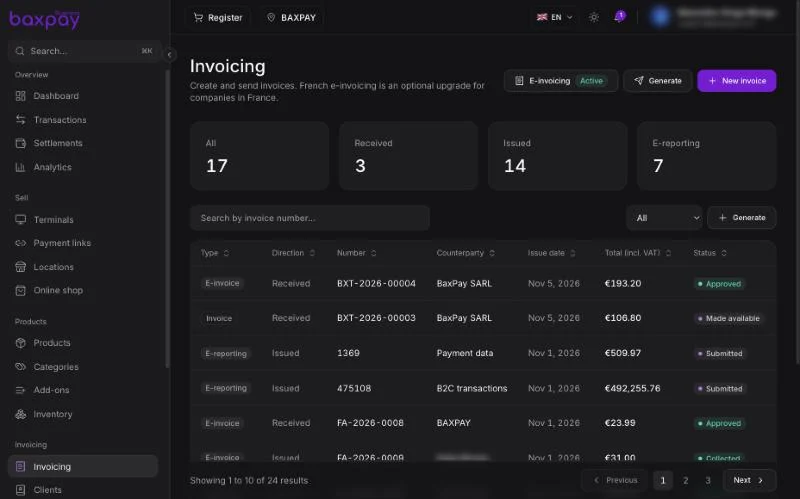
Modes
| Mode | Meaning |
|---|---|
| Standard | PDF / simple electronic invoice — default for most countries. |
| French e-invoicing (Factur-X) | When your account is eligible and platform credentials allow — legal lifecycle + e-reporting for the French reform. |
If French e-invoice is not available yet, you still use Standard invoicing.
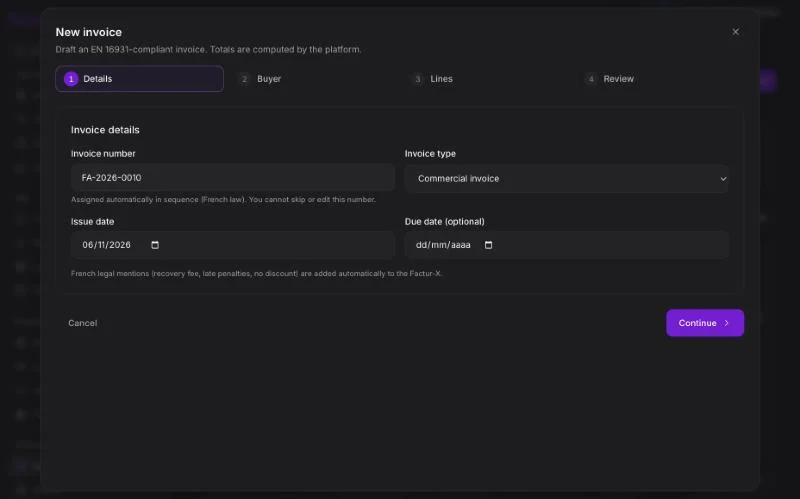
Create an invoice
- Open Invoicing → New invoice.
- Select or create a client.
- Add lines (description, qty, unit price, VAT) — you can pull from Products.
- Review totals (HT / VAT / TTC as shown).
- Save as draft or Send.
Payment on an invoice
- Open the invoice.
- Create / open its payment link.
- Customer pays.
- Status updates (e.g. paid / encaissée when applicable).
French e-invoicing extras (when enabled)
- Factur-X compliant files
- Lifecycle events (submitted, accepted, refused…)
- E-reporting generation & submit
- Inbound supplier invoices (approve / refuse)
Complete your e-invoicing profile (SIREN/SIRET, etc.) under Invoicing settings / profile screens.
Tips
- Keep the Clients directory clean — invoices never rewrite history if you edit a client later.
- Prefer catalog products for consistent VAT.
- Test in Test mode first.
Next: Clients →