
Last updated:
Prerequisites
- Sales already flowing (links, Register, terminals, etc.)
- Analytics in your sidebar — if a section shows as locked, Settings › Plan shows which plan includes it
Dashboard vs Analytics
| Surface | What you get |
|---|---|
| Dashboard | Glance: top products, VAT collected this month, recent volume |
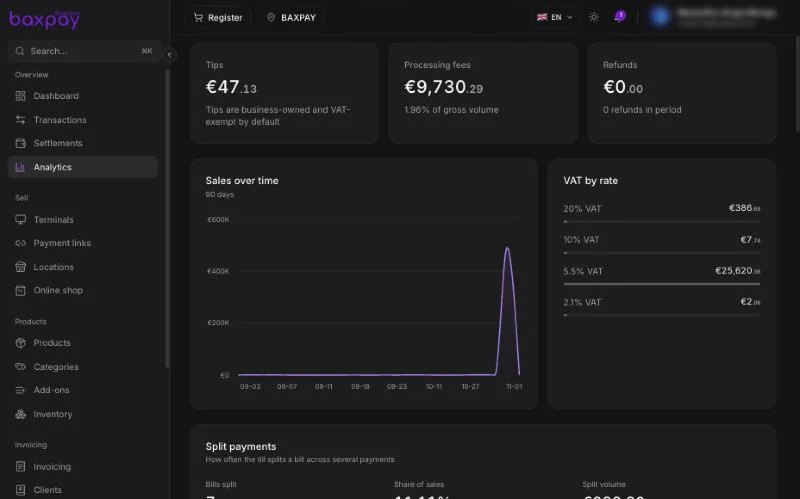
| Analytics | Period filters, sales over time, VAT by rate, fees, full product ranking |
If Analytics is not on your plan, the sidebar entry may be hidden or show an upgrade path.
Open Analytics (web)
- In the sidebar, open Analytics (under Overview / Run your business, depending on layout).
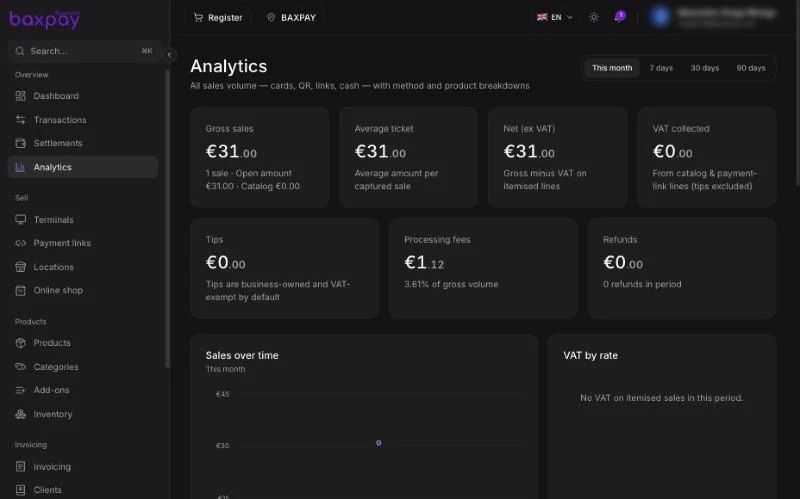
- Pick a period (e.g. month to date, custom range).
- Optionally filter by location using the header location filter.
- Review charts and the product ranking table.
What feeds the numbers
Analytics works best with:
- Catalog sales (Register / POS products)
- Itemised payment links (products on the link)
Plain free-amount charges still count as volume, but product rankings need line items.
Tips and split shares appear with their parent sales when those features are used — see Tips and Split payments.
Mobile
The mobile app focuses on selling and recent transactions. Deep Analytics is primarily a web experience today.
FAQ
Why don’t I see Analytics?
Your plan may not include it yet — open Settings → Plan or the upgrade CTA on the teaser.
Does location filter apply?
Yes — the header location filter scopes dashboard and Analytics the same way as Transactions.
Next: Online shop →