
Last updated:
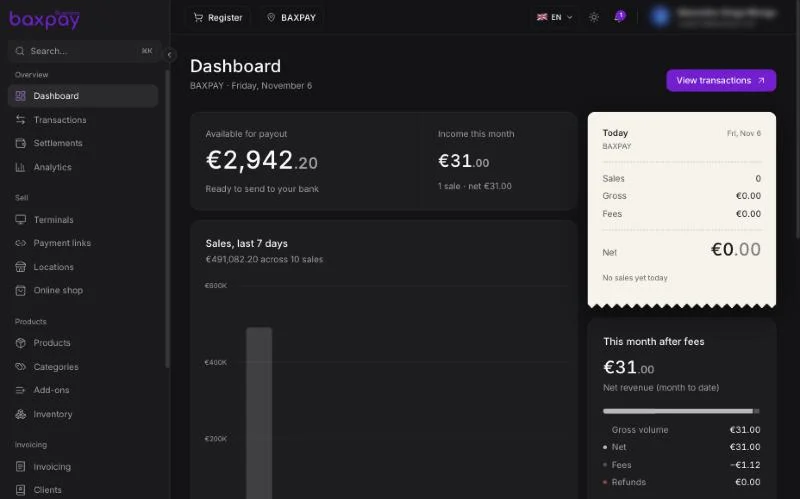
Header (always visible)
| Control | Meaning |
|---|---|
| Register | Opens the in-store caisse (when Products + Register are enabled). |
| Location filter | Limit data to one shop or all of them. Affects dashboard, transactions, stock, terminals, payment links and Register. |
| Language | Switch the dashboard language. |
| Theme | Light or dark. |
| Notifications | Alerts (paid links, team events, etc.). |
| Profile menu | Settings, Developers, the Test mode switch and sign out. |
| Search (top of the sidebar, ⌘K) | Jump to any page. |
Sidebar sections
Overview
| Page | Purpose |
|---|---|
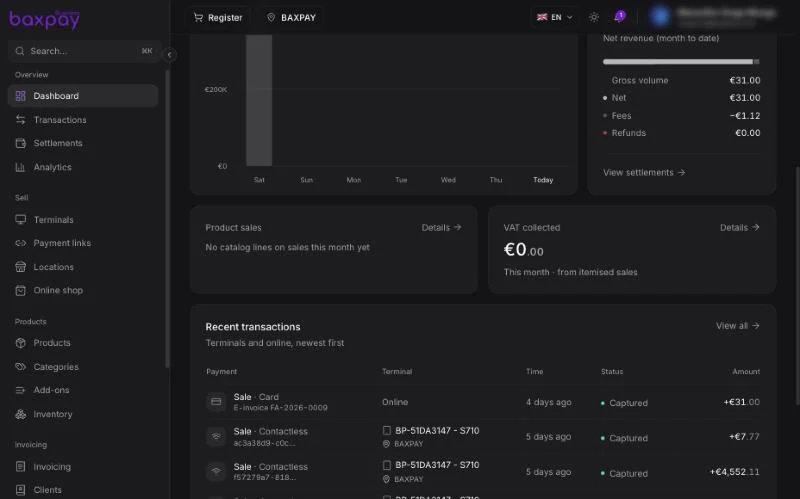
| Dashboard | Money available for payout, this month's income, sales of the last 7 days, today's till slip and recent transactions. |
| Transactions | Full payment history — filter, refund, export CSV. |
| Settlements | Balances, payout schedule and payouts to your bank. |
| Analytics | Sales over time, VAT by rate, tips, fees and split payments. See Analytics. |
Sell
| Page | Purpose |
|---|---|
| Terminals | Order and manage card readers; assign them to locations. |
| Payment links | Create shareable pay links and QR codes. |
| Locations | Your shops and sites. |
| Online shop | Public storefront ({slug}.baxpay.com), orders, bookings, discounts and themes. See Online shop. |
Products
| Page | Purpose |
|---|---|
| Products | Your sellable catalog. |
| Categories | Group products and translate their labels. See Categories & add-ons. |
| Add-ons | Paid or free extras on a product, like sauces or toppings. |
| Inventory | Stock levels and movements per location. |
Invoicing
| Page | Purpose |
|---|---|
| Invoicing | Create, send and receive invoices; French e-invoicing when enabled. |
| Clients | Customer directory for invoices and links. |
| Books | Your bookkeeping, prepared for your accountant. See Books. |
Money
| Page | Purpose |
|---|---|
| Recipients | Saved contacts for business transfers. See Recipients. |
| Spend cards | Company cards for you and your team. See Business cards. |
Workspace
| Page | Purpose |
|---|---|
| People | Legal representative and beneficial owners needed for verification. |
| Team | Invite staff, roles, locations and till PINs. |
Settings and Developers open from the profile menu. Settings holds your business profile, plan, branding, online payment methods, payout accounts and feature switches (Locations, Products, Tips & split, Online shop).
Dashboard page — how to read it
- Check setup banners first.
- Review today’s / recent volume.
- Open a recent payment → jumps to Transactions detail.
- Use the location filter if you run several shops.
Roles and what they see
Attendants typically cannot open Settings / Team / Plan. Managers see day-to-day ops. Owners/Admins see everything except some owner-only billing actions.
Next: Locations →