
Last updated:
Status: Preview Access while card issuing rolls out. Not generally live for all merchants yet.
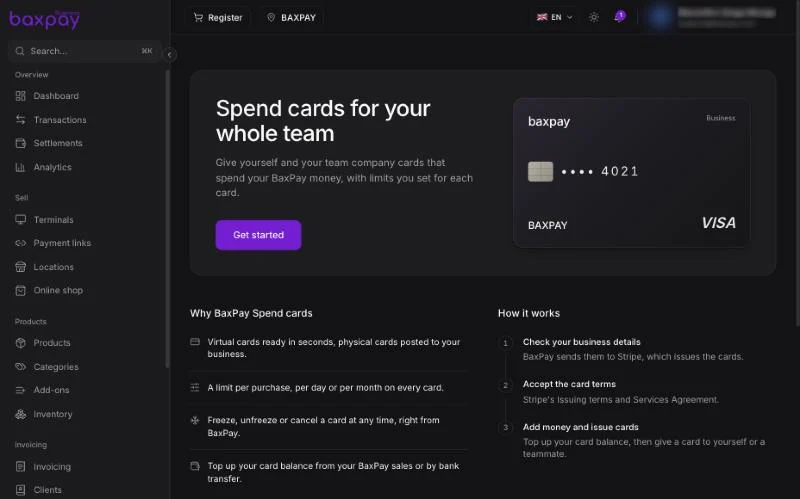
What they are for
| Card type | Typical use |
|---|---|
| Virtual | Online tools, ads, subscriptions |
| Physical | Travel, suppliers, in-person spend |
Both bind to cardholders on your account, with limits and real-time authorisations in history.
Prerequisites (when live)
- Verified Business (company) account — Issuing needs a verified business
- Plan / capability that includes expense cards
- Preview Access or general availability in your country
Planned flow
- Open the Cards / Business cards area in the dashboard (when shown).
- Add a cardholder.
- Issue a virtual or physical card with spend limits.
- Fund from your BaxPay balance / linked funding source as offered.
- Track purchases in one spend ledger next to settlements.
Exact UI labels may change as Issuing lands — treat in-product copy as source of truth.
Honesty note
If you see Business cards in the marketing site or a greyed menu, it may be Preview Access marketing. Ask at onboarding or via Contact if you need early access. Do not plan critical spend on cards until your account shows the feature as active.
Related money features (business IBAN banking, transfers) may also be coming later — see Dashboard & navigation.
FAQ
Are these the same as customer payment terminals?
No. Expense cards are for your company spend. Customer card accept uses terminals, Tap to Pay, links, and QR.
Freelancers?
Expense cards target company Business accounts; Freelancer paths may differ when Issuing is live.
Next: Quick-start checklist →